B.Tech specialization project + conference paper · 2026
GPU & CPU Performance Optimization for AI Workloads
C++ · CUDA · WMMA Tensor Cores · OpenMP · AVX2/FMA · Nsight Compute · Nsight Systems · Intel VTune
How far are textbook kernels from what the hardware can actually do, and why? Four workloads (vector add, dot product, matrix multiply and Transformer attention) were optimized in three stages each on an Intel Core i7-13650HX and an NVIDIA RTX 4060 Laptop GPU, verified against double precision, and explained with profiling and Roofline analysis. The conference paper, Breaking the Compute Bottleneck, presented and defended before a review panel, covers how CPU, GPU and NPU architectures and the compiler stack shape deep-learning performance.
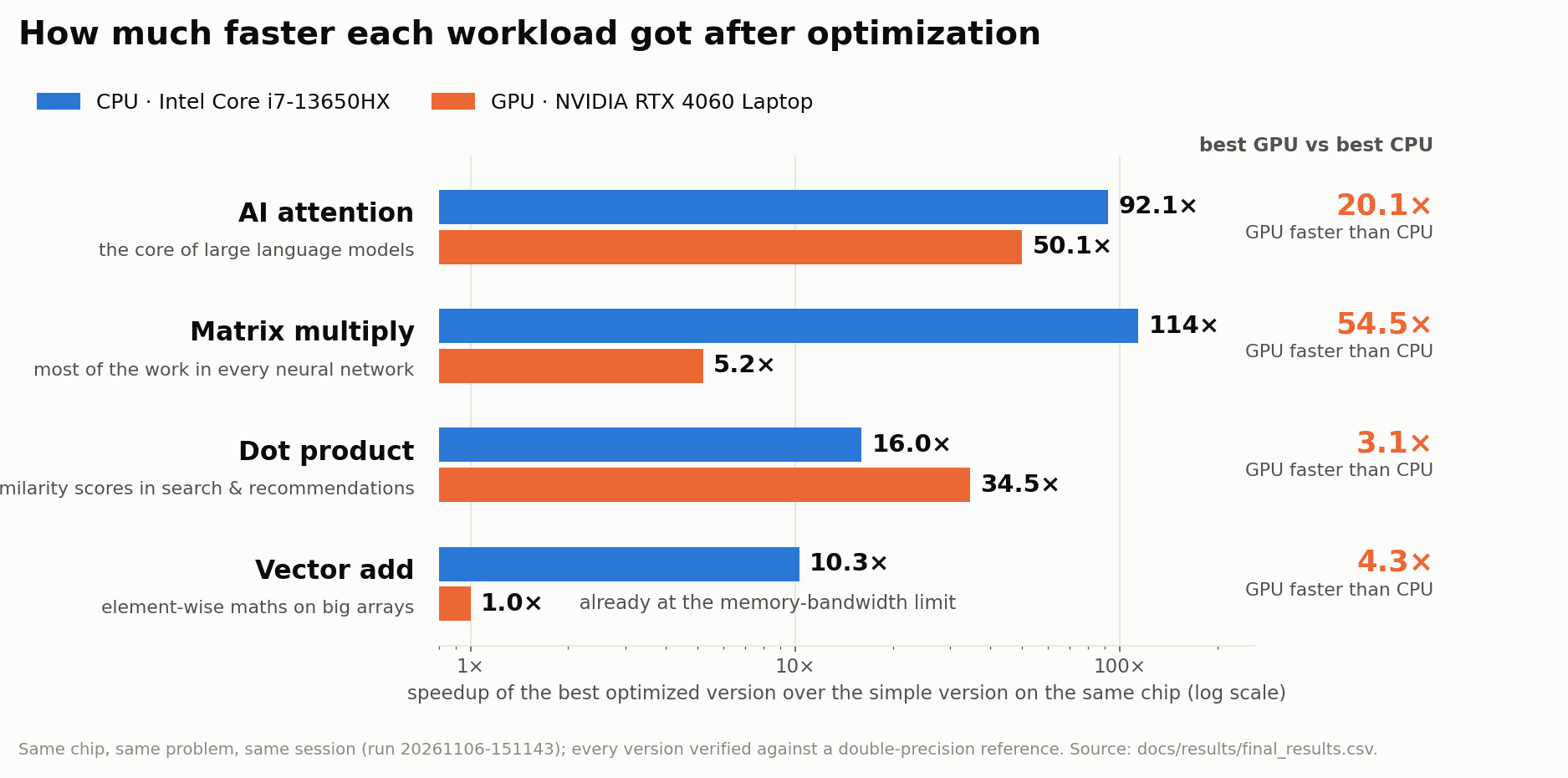
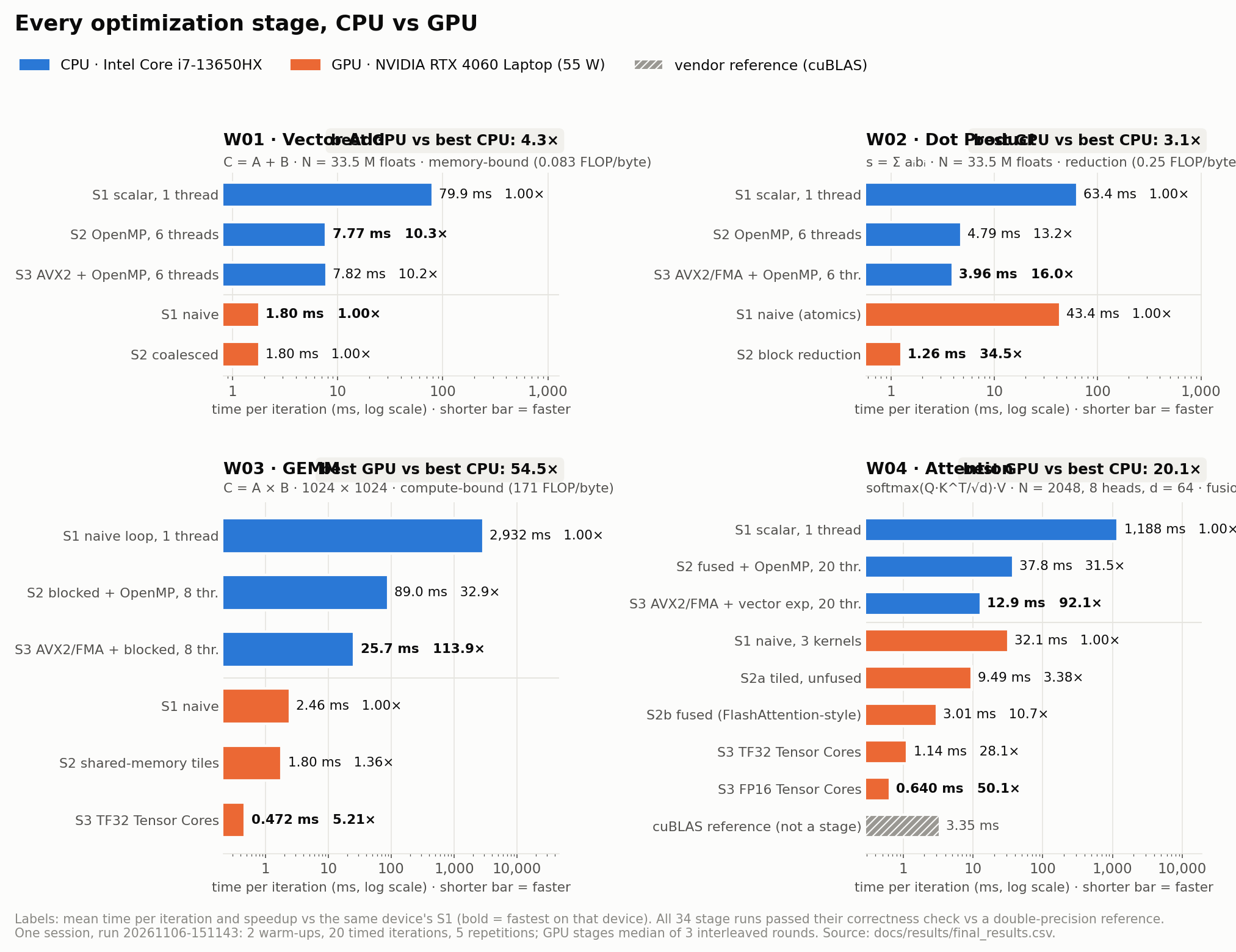
- 50.1× for a FlashAttention-style fused attention kernel over an unfused baseline, at 0.03% error (online softmax, FP16 Tensor Cores).
- 114× on CPU GEMM (0.73 → 83.4 GFLOP/s) with cache blocking, OpenMP and AVX2.
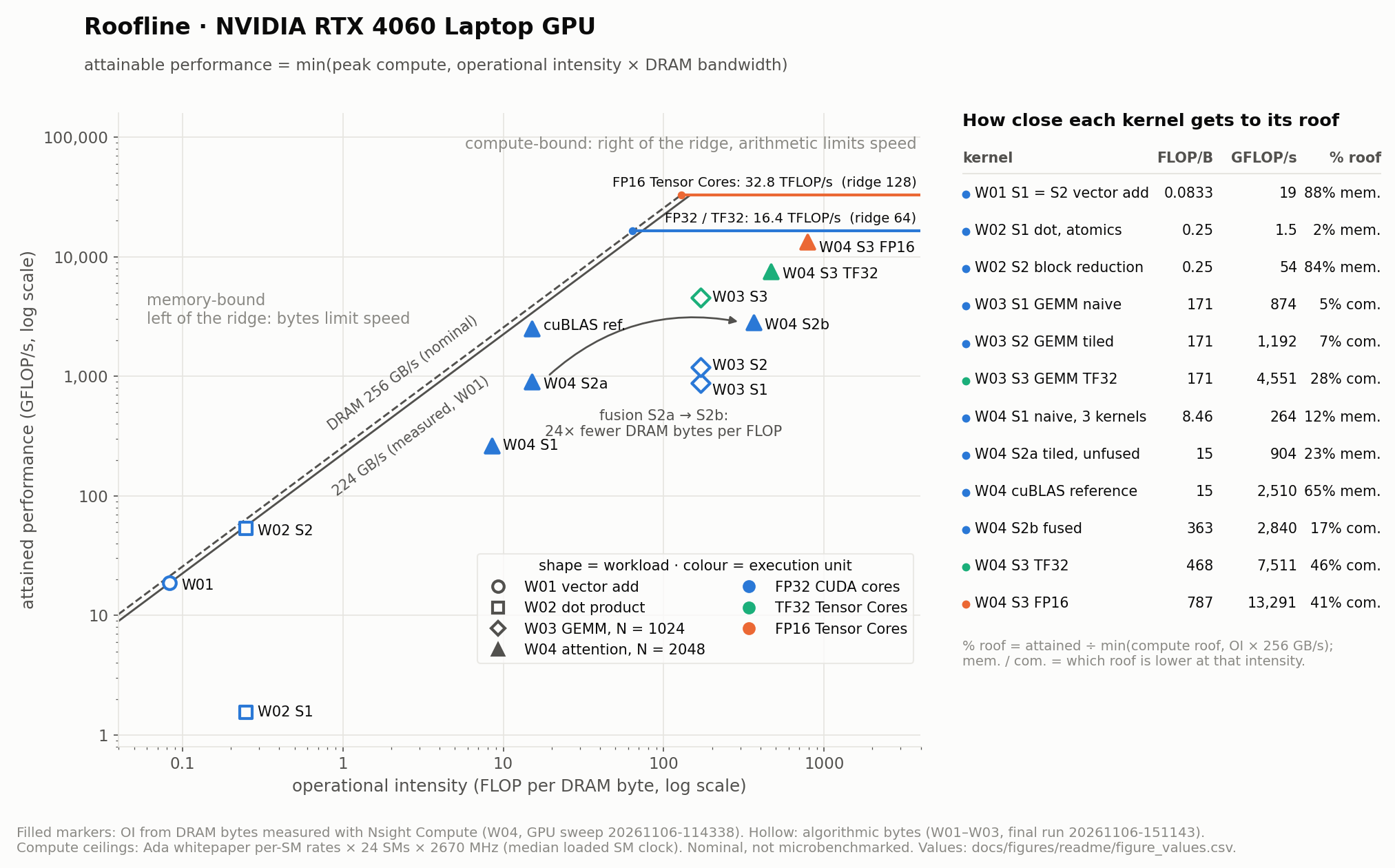
- 24× less DRAM traffic from kernel fusion but only 15% less runtime (Nsight Compute), so register tiling and Tensor Cores drove the speed-up. All 34 runs verified against a double-precision reference.
CPU vs GPU race
Every version of each task races on one shared clock. Longer bars mean faster code, drawn to true scale.
- Vector add: the GPU is about 45× faster than the simple CPU code. Better GPU code doesn't help, because memory speed is the limit.
- Dot product: smarter GPU code makes it 34.5× faster, and about 50× faster than the simple CPU code.
- Matrix multiply: optimizing the CPU code makes it 114× faster. Tensor Cores go further: about 6,200× faster than the simple CPU code.
- Attention: fusion plus FP16 Tensor Cores make the GPU 50× faster than its own simple version, and about 1,850× faster than the simple CPU code.
The race is a separate run from the charts above, so the figures differ slightly.
Full walkthrough (72 s)
Goes over each workload, each optimization step and the CPU vs GPU comparison.